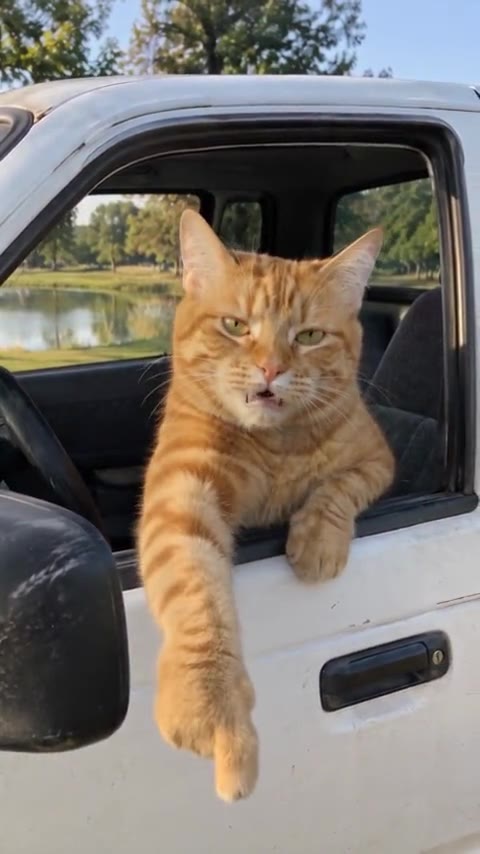
How Are People Making the AI Cat Driving Videos? The Hit the Road Dude Method Explained
How the AI cat driving videos behind the Hit the Road Dude meme are made: the three ingredients, one-photo templates vs prompts vs character swaps, why it is a cat, and how to make one with your pet.
By Hit the Road Dude AI · Updated · 5 min read
The three ingredients
- A character: one clear image of whoever drives. A cat, a dog, a person, or a drawing.
- Motion: an AI video model that turns that image into a moving clip, either from a text prompt or by copying the motion of a reference video.
- A voice: the model speaks quoted lines itself, or the original sound is laid underneath and the mouth is synced to it.
Three ways people make them
1. One-photo templates
The fastest route, and how most of the Hit the Road Dude videos on TikTok were made. A template holds the original clip and its soundtrack. You upload one photo, and the AI recreates the clip shot for shot with your character as the driver: same truck, same camera, same timing, same voice. On our generator that is one upload and a few minutes of rendering, from 100 credits.
2. Prompt from scratch
Make a still of your character behind the wheel with an image model, then animate it with an image-to-video model and a prompt that describes the scene and the lines. It is the flexible route: any car, any setting, any words. It also takes more retries, and the result depends on the model. Our prompt guide has copy-paste prompts for the Hit the Road Dude version.
3. Character swap on real footage
Some creators take a real clip and use a video-to-video tool to swap one character for another while keeping the camera and motion. It looks closest to the source, but it starts from footage of a real person, so it raises the most questions about consent. Templates built on an already-AI version of the clip, like ours, avoid that.
Why it is always a cat
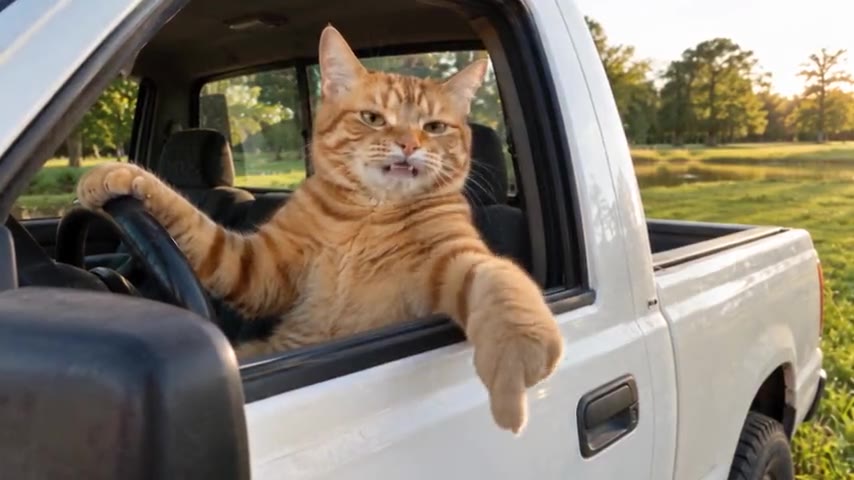
The Hit the Road Dude remake that spread fastest in October 2026 recast the driver as an orange tabby cat, one paw on the wheel, one hanging out of the window. Cats work because they already act like they own every place they sit, so a cat telling a fisherman “this ain’t state property” needs no setup. It also keeps the joke away from the real man in the original video. Once the cat version took off, people started swapping in their own pets.
How our generator makes one
- You upload one photo of a person or a pet.
- The AI gets the original AI cat clip as a reference, its soundtrack, and your photo, with instructions to replace the cat completely, keep the truck and the field, and move the new driver’s mouth with the audio.
- The instructions change with the photo: a person gets human hands on the wheel, a pet stays a pet and sits upright with a paw on the wheel.
- A few minutes later the video is in your studio, in 16:9 or 9:16, up to 1080p, with no watermark. If it fails, the credits go back automatically.
Tips that matter for any method
- The photo decides the result. Sharp, front-facing, even light, one face.
- Short beats long. AI faces drift over time; 10 to 15 seconds stays consistent.
- Handheld beats cinematic. The meme looks like phone footage; a polished look reads as an ad.
- Label it. Turn on the platform’s AI-generated label when you post.
Want the step-by-step for the template route? Read how to make the Hit the Road Dude AI video, or the pet version guide.