
Hit the Road Dude GIF: Where to Find the State Property GIF and How to Make Your Own
Hit the Road Dude GIF: where to find the state property GIF on Tenor and GIPHY, why no GIF has sound, and how to make your own in a few steps.
By Hit the Road Dude AI · Published · Updated · 4 min read
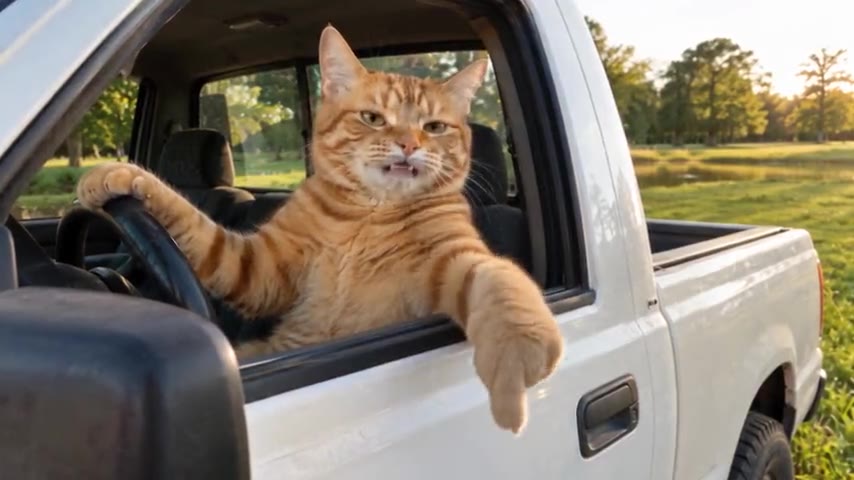
Where can I find the hit the road dude GIF?
The hit the road dude GIF is easiest to find on the two big GIF libraries. On Tenor, the search page for “hit the road dude” lists dozens of versions of the pickup clip, most with the caption “hit the road dude” or “this is private property” burned in. On GIPHY, the most shared copy is titled “Hit The Road Trending GIF” and is tagged “state” and “property”. KLIPY, a smaller GIF site, also hosts a copy.
Search terms that find the clip on every GIF site:
- “hit the road dude”, the line most captions use
- “state property” and “state hit the road dude”, for the “State?” beat
- “this is private property” and “private property meme”
- “who told you you could fish here”, for the opening line
How do I send the state property GIF in a chat?
Sending the state property GIF takes two steps in most apps. Open the GIF search built into your keyboard or chat app, then type “hit the road dude” or “state property”. Most GIF pickers draw on Tenor or GIPHY, so the same clips appear there. When the picker finds nothing, open the GIF on tenor.com or giphy.com, copy its link, and paste the link into the chat.
Is there a hit the road dude GIF with sound?
A hit the road dude GIF with sound does not exist, because the GIF format stores images only, not audio. The voice is half of the joke, so there are two better options when you want it heard. Send a short MP4 clip, which most chat apps play inline with sound. Or post on TikTok, Reels or Shorts with the original sound, which the guide to the sound and lyrics explains.
How to make your own hit the road dude GIF
Making your own hit the road dude GIF takes a short video and a free converter. The video can be your lip-sync, a clip you are allowed to use, or an AI version with your own face or pet as the driver.
- Pick a video and note the 3 to 5 seconds you want, usually one line.
- Upload the video to a GIF converter (see the table below).
- Set the start and end time, then pick about 10 frames per second and 480 px wide.
- Add the caption on top, for example “STATE?” or “THIS IS PRIVATE PROPERTY”.
- Download the GIF, or upload it to Tenor or GIPHY so you can find it in chat apps.
| GIF tool | Accepts | Limits stated on the page | Best for |
|---|---|---|---|
| ezgif Video to GIF | MP4, WebM, MOV, AVI, MKV and more | 200 MB per file; up to 60 s at 5 fps or 30 s at 10 fps; uploads deleted after 1 hour | Precise cuts and captions, no account |
| GIPHY GIF Maker | JPG, PNG, GIF, MP4, MOV, WebM | Length and size limits not stated | Publishing so the GIF shows up in GIF search |
| Tenor GIF Maker | GIFs, MP4s, PNGs, JPGs | Up to 10 files per upload; length limit not stated | Adding it to your Tenor profile |
Limits as stated on each tool’s page, checked November 19, 2026.
Which moment of the clip makes the best GIF?
The best hit the road dude GIF moment is the “State?” beat, because the driver’s disbelief reads without sound. Three moments work as reactions:
- “State?” for when someone says something you cannot believe.
- “Hit the road, dude” for telling someone to leave, kindly or not.
- “This is private property” for guarding your spot, your snacks or your side of the couch.
The meaning and full script of the meme has every line in order, if you want to caption a different beat.
Is it okay to share the hit the road dude GIF?
Sharing the hit the road dude GIF from Tenor or GIPHY in a chat is what those libraries are for. Using it in an ad or on merchandise is a different matter, because the original clip shows a real, private person who did not agree to be a mascot. A GIF of your own lip-sync, your pet, or an AI version with a driver who agreed keeps the joke without him. For an AI clip to turn into a GIF, our one-photo meme template is one option.